
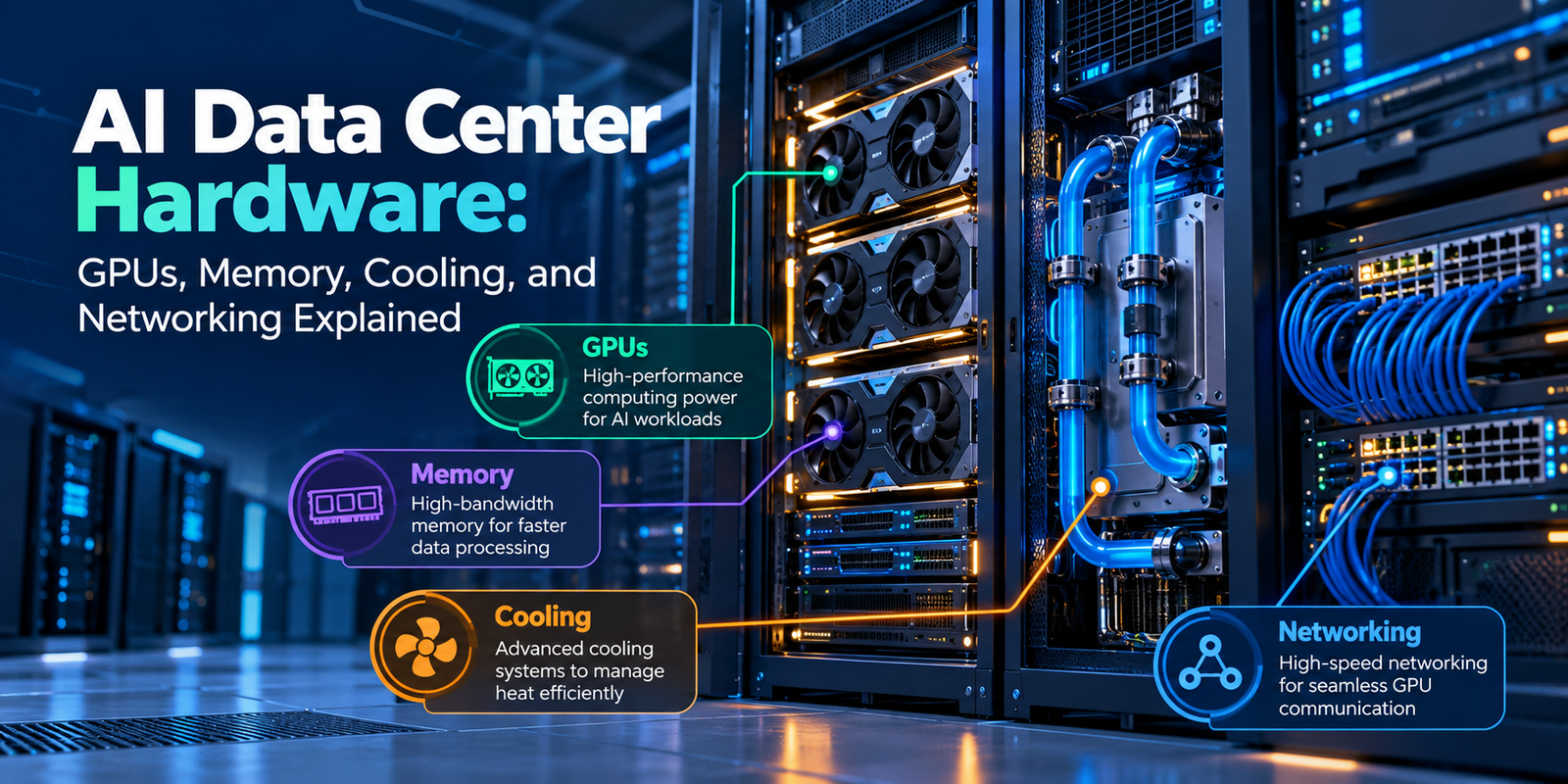
Artificial intelligence is transforming how businesses process information, train machine learning models, and deliver digital services. Behind these applications are powerful computing systems designed to handle demanding workloads efficiently. Understanding AI data center hardware is essential for businesses planning to build, upgrade, or scale their AI infrastructure.
Unlike traditional data centers, AI-focused facilities require more than powerful processors. They also need high-bandwidth memory, advanced cooling systems, and fast networking. Together, these components help AI systems process large datasets and deliver reliable performance.
In this guide, we explore the essential components of AI infrastructure, explain how they work together, and discuss what businesses should consider when selecting hardware for their workloads.
What Is AI Data Center Hardware?
AI data center hardware refers to the physical equipment used to train, deploy, and operate artificial intelligence models. It includes computing processors, memory systems, storage devices, networking equipment, and cooling infrastructure.
These components work together to process large datasets, perform complex calculations, and deliver AI-generated results.
For example, training a large language model requires substantial computing power and fast access to training data. Similarly, an AI chatbot needs infrastructure that can process user requests and generate responses quickly.
A typical AI data center includes:
- GPUs and AI accelerators: Perform parallel computations for AI workloads.
- High-bandwidth memory: Supplies data to processors at high speeds.
- Storage systems: Store training datasets, model files, and application data.
- Networking equipment: Connects servers and enables communication between processors.
- Cooling systems: Remove heat generated by high-performance hardware.
- Power infrastructure: Supplies reliable electricity to servers and supporting equipment.
Each component affects the performance, reliability, and operating cost of the overall system. Therefore, businesses should evaluate these components as parts of a complete infrastructure solution.
1. GPUs: The Computing Power Behind AI
Graphics processing units (GPUs) are among the most important components of modern AI infrastructure.
Originally designed to process graphics, GPUs are well suited to AI workloads because they can perform many calculations simultaneously. As a result, they help accelerate deep learning, large-scale data processing, and AI inference.
AI inference is the process of using a trained model to generate predictions or responses.
Why Are GPUs Important for AI?
AI models perform large numbers of mathematical operations. GPUs execute many of these operations in parallel, helping accelerate workloads that would otherwise take longer on general-purpose processors.
For this reason, GPUs are commonly used for:
- Training large language models.
- Generating images and videos using AI.
- Running machine learning inference.
- Processing scientific simulations.
- Supporting generative AI applications.
For example, a business developing an AI-powered search platform may use GPUs to train its models. Once training is complete, the same infrastructure or a separate deployment environment can run the model to generate responses.
However, GPU performance depends on more than processing speed. Memory capacity, memory bandwidth, power consumption, and communication between GPUs also influence overall system performance.
How to Choose the Right GPU
Choosing a GPU starts with understanding the intended workload. Different AI applications require different levels of computing power and memory.
Consider these factors before selecting a GPU:
Processing performance: Evaluate the computing capacity required by your AI models.
Memory capacity: Ensure the GPU can accommodate the model and its working data.
Memory bandwidth: Check how quickly the processor can access the information it needs.
Power requirements: Confirm that the server and facility can support the GPU’s power consumption.
Software compatibility: Verify that the GPU supports your frameworks, libraries, and deployment environment.
By evaluating these requirements, businesses can avoid unnecessary spending and reduce the risk of performance limitations.
2. Memory: Why Bandwidth and Capacity Matter
Memory is another critical component of AI data center hardware. Even a powerful GPU can become less effective when it cannot access data quickly enough.
AI workloads frequently move large amounts of information between memory and processing units. Consequently, both memory capacity and bandwidth influence system performance.
What Is High-Bandwidth Memory?
High-bandwidth memory (HBM) is a specialized memory technology designed to provide high data-transfer rates in compact packaging close to supported processors.
It is commonly used in high-performance AI accelerators. This design helps GPUs access model parameters, intermediate calculations, and other information required during AI workloads.
Two factors are particularly important when evaluating memory.
Memory capacity determines how much data a system can hold in memory at a given time.
Memory bandwidth determines how quickly data can move between memory and the processor.
For example, a large AI model may require substantial memory capacity to hold its parameters and additional working data. If the available memory is insufficient, the system may need to use other memory or storage resources. As a result, performance can decrease.
HBM vs. System Memory
HBM and system RAM serve different purposes in an AI server.
HBM provides high-bandwidth access to data for supported GPUs and accelerators. In contrast, system RAM supports the CPU, operating system, applications, and other server processes.
Both are important, but they are not interchangeable in every workload.
When planning an AI server, evaluate the memory requirements of the entire system rather than focusing only on GPU specifications. This approach helps ensure that the selected hardware can support the intended applications.
3. Cooling Systems: Managing Heat in AI Data Centers
High-performance processors consume significant electrical power and generate substantial heat. Without effective thermal management, excessive temperatures can reduce performance, affect reliability, and shorten component life.
As AI servers become more powerful, cooling becomes an essential part of infrastructure planning. In particular, high-density deployments require careful coordination between server design, airflow, and cooling capacity.
Air Cooling vs. Liquid Cooling
Two common approaches to server cooling are air cooling and liquid cooling.
Air cooling uses fans and controlled airflow to remove heat from processors and other components. It remains useful for many conventional servers and suitable lower-density deployments.
Liquid cooling transfers heat through a liquid-based system. Depending on the design, it can remove heat directly from processors or through heat exchangers near the server rack.
For high-density AI systems, liquid cooling can provide an effective way to manage concentrated heat loads. However, its suitability depends on the hardware configuration and facility infrastructure.
Types of Liquid Cooling
Direct-to-chip cooling: Cold plates transfer heat away from processors as coolant circulates through the system.
Rear-door heat exchangers: Heat exchangers installed at the back of server racks remove heat from the air leaving the equipment.
Immersion cooling: Servers or selected components are immersed in a specially designed dielectric fluid that absorbs heat.
Each approach has different installation, maintenance, and operational requirements. Therefore, businesses should compare their suitability before choosing a cooling solution.
How to Choose a Cooling Solution
Before selecting a cooling system, consider:
- The power consumption of the servers and racks.
- The maximum heat load the system must remove.
- Available space and facility infrastructure.
- Installation and maintenance costs.
- Reliability requirements and future expansion plans.
Ultimately, the right solution depends on rack density, hardware design, environmental conditions, and the facility’s cooling capabilities.
Effective cooling helps AI infrastructure maintain stable performance while managing energy consumption and operating costs.
4. Networking: Connecting GPUs and Servers
Networking is another essential part of AI data center hardware. It enables servers to exchange information, access shared resources, and coordinate distributed computing workloads.
During large-scale AI training, multiple GPUs may work together on the same model. These processors must exchange intermediate results and synchronize their operations.
If the network is too slow, communication can delay processing. Consequently, expensive computing resources may spend more time waiting for data instead of performing calculations.
Why High-Speed Networking Matters
AI infrastructure requires networking that supports high throughput, low latency, and reliable communication.
Important networking components include:
Network interface cards (NICs): These connect servers to the network and handle data transmission.
Network switches: They connect servers and manage communication between devices.
High-speed interconnects: These provide fast communication between GPUs or other system components, depending on the architecture.
Optical networking: This uses light to transmit data and can support high-bandwidth connections across suitable distances.
Technologies such as Ethernet and InfiniBand are used in AI infrastructure, depending on the deployment’s architecture and requirements.
For large GPU clusters, network design can influence how efficiently computing resources operate together. Therefore, networking should be considered during the initial infrastructure planning stage rather than added as an afterthought.
What Should Businesses Consider?
When planning AI networking, evaluate the following factors:
- Required network bandwidth.
- Communication latency between servers.
- Number of servers and GPUs in the cluster.
- Compatibility with network adapters and switches.
- Scalability as the infrastructure expands.
- Network monitoring and fault recovery capabilities.
A well-designed network helps prevent communication bottlenecks. In addition, it supports consistent performance across distributed AI workloads.
5. How GPUs, Memory, Cooling, and Networking Work Together
The performance of an AI system depends on how its components interact. A powerful GPU cannot deliver its full potential if it lacks sufficient memory bandwidth, operates under thermal constraints, or waits for data from other servers.
Consider an AI model training environment.
First, storage systems provide the training datasets. The server then loads the required data into memory, allowing the GPUs to perform the calculations needed to train the model.
Meanwhile, high-bandwidth memory supplies data to the GPUs. Networking also enables communication between processors distributed across multiple servers.
At the same time, cooling systems remove the heat generated by the processors and supporting components.
If any part of this process becomes a bottleneck, overall performance can suffer. For example, insufficient memory bandwidth may limit processing efficiency, while inadequate cooling can lead to thermal throttling, which reduces processor performance to control temperature.
For this reason, AI data center hardware should be planned as an integrated system rather than as a collection of independent products.
Businesses should evaluate computing performance, memory capacity, network throughput, cooling requirements, and power availability together. This approach helps identify bottlenecks before they affect production workloads.
6. Key Factors to Consider Before Building an AI Data Center
Building or expanding AI infrastructure requires careful planning. The right hardware configuration depends on the workload, budget, facility, and expected growth.
Define Your AI Workloads
Start by identifying whether the infrastructure will support model training, inference, scientific computing, or a combination of workloads.
For example, model training may require high-performance GPUs and fast interconnects. In contrast, inference deployments may prioritize response time, throughput, and cost per request.
Understanding these differences helps businesses select hardware that matches their actual requirements.
Evaluate Power and Cooling Capacity
Check whether the facility can support the electrical demand and heat output of the planned equipment.
High-density GPU deployments may require upgrades to power distribution, cooling systems, and rack infrastructure. Therefore, evaluate these requirements before purchasing hardware.
Plan for Scalability
Choose an architecture that can accommodate future hardware additions without requiring unnecessary redesign.
Consider rack space, network expansion, power capacity, and compatibility between components. In addition, ensure that the design supports straightforward monitoring and maintenance.
Calculate Total Cost of Ownership
The purchase price is only one part of the overall investment.
Businesses should also consider electricity, cooling, maintenance, networking, software, and equipment replacement costs.
By evaluating these expenses, organizations can compare hardware configurations based on long-term operational value rather than initial price alone.
Prioritize Reliability and Compatibility
Ensure that processors, memory, servers, network components, and cooling systems are compatible with the intended configuration.
Before production deployment, validate the system and establish monitoring procedures. These steps help teams identify performance issues early and reduce the risk of unexpected downtime.
7. Future Trends in AI Data Center Hardware
AI infrastructure continues to evolve as businesses demand greater computing capacity and more efficient operations. Several developments are shaping the direction of the industry.
Higher-Bandwidth Memory
Advances in memory technology aim to support the growing data demands of AI accelerators. As models become more demanding, memory capacity and bandwidth will remain important considerations.
Wider Adoption of Liquid Cooling
Higher-power systems are increasing the importance of advanced thermal management. Consequently, liquid cooling is becoming a key consideration for organizations planning high-density AI deployments.
Faster Networking
High-bandwidth Ethernet, InfiniBand, and optical interconnect technologies support communication across increasingly large AI clusters. These technologies help address the networking demands of distributed computing.
Integrated Rack-Scale Systems
Hardware designers are increasingly coordinating processors, networking, power delivery, and cooling at the system level. This approach can simplify infrastructure planning and help improve overall efficiency.
Greater Focus on Energy Efficiency
Organizations are paying closer attention to performance per watt and the operating cost of AI workloads.
Therefore, future hardware decisions will increasingly consider energy consumption alongside computing performance.
These developments highlight an important shift: AI infrastructure performance increasingly depends on the coordination of the entire system.
Businesses planning new deployments should monitor hardware developments and validate product specifications against their actual workloads.
Conclusion
AI infrastructure requires more than powerful processors. GPUs provide computing capacity, memory supplies the data those processors need, cooling systems manage heat, and networking connects the components into a coordinated system.
Understanding these elements helps businesses make informed decisions when planning, purchasing, or upgrading AI infrastructure.
The most effective AI data center hardware strategy balances performance, memory capacity, networking speed, cooling efficiency, power availability, and long-term operating costs.
Ultimately, a carefully planned infrastructure provides a stronger foundation for scaling AI applications and meeting future computing demands.
At Hashing Hardware, understanding these hardware requirements can help businesses evaluate the technologies needed to support modern AI workloads.
