
Artificial intelligence is transforming industries by enabling businesses to process large datasets, train advanced machine learning models, and automate complex tasks. However, these applications often require more computing power than a single server can provide. GPU clusters address this challenge by connecting multiple graphics processing units to work together on demanding computing tasks.
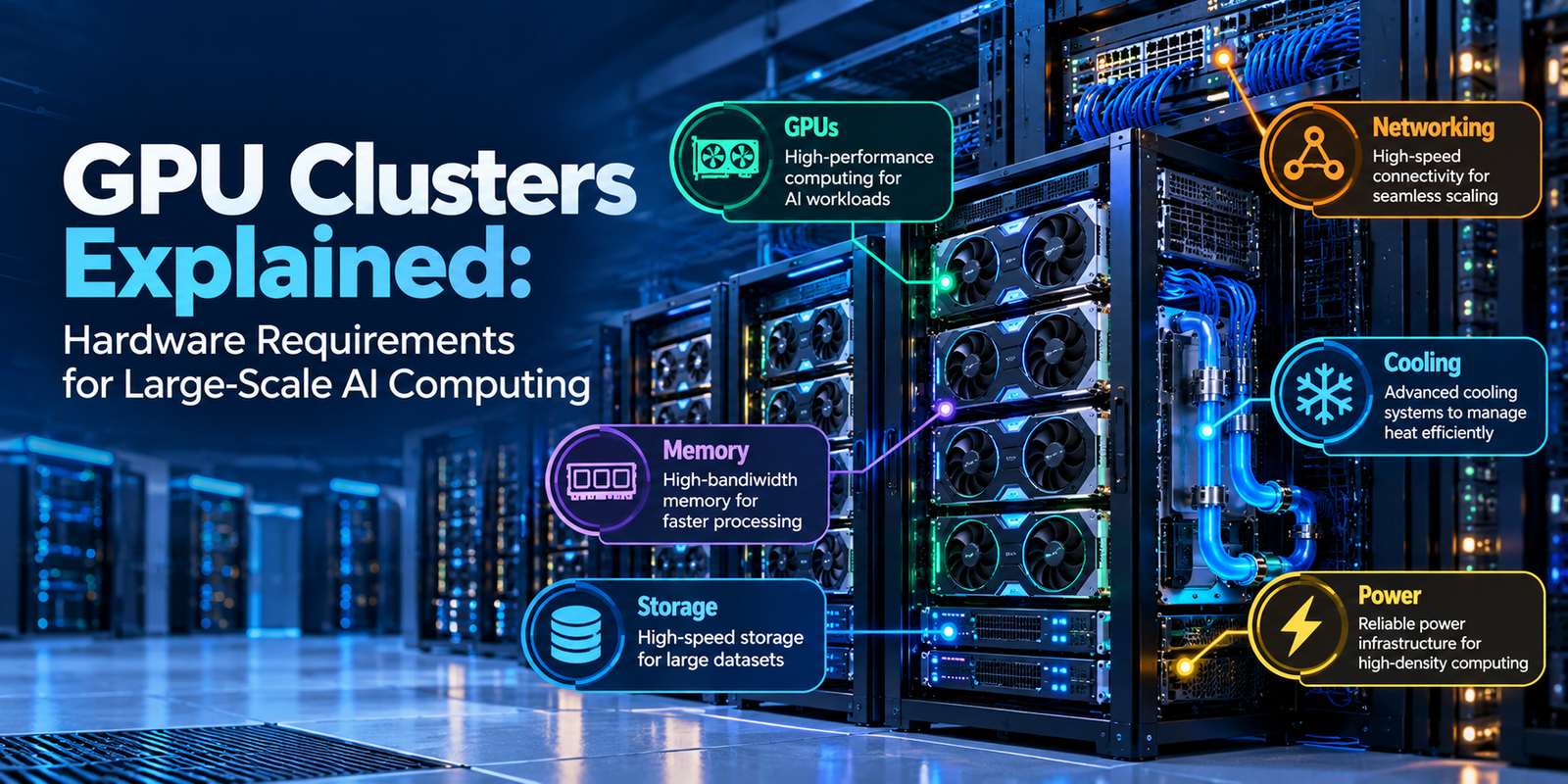
From training large language models to running scientific simulations, GPU clusters support applications that require substantial computing resources. Their performance depends on several factors, including GPU selection, memory capacity, networking, storage, and cooling.
Understanding these hardware requirements helps businesses build efficient AI infrastructure that can grow alongside their computing needs.
In this guide, we explain how GPU clusters work, which hardware components they require, and what businesses should consider before investing in large-scale AI computing.
What Is a GPU Cluster?
A GPU cluster is a group of computers equipped with graphics processing units (GPUs) that work together to complete computationally intensive tasks.
Instead of relying on a single GPU, the cluster distributes workloads across multiple processors. As a result, it can handle larger models, process more data, and support demanding AI applications.
GPU clusters typically contain several interconnected servers, each equipped with one or more GPUs. High-speed networking allows these servers to exchange data and coordinate their work.
For example, training a large AI model may require multiple GPUs to process different portions of the workload simultaneously. The GPUs then exchange information to update the model during training.
Common applications of GPU clusters include:
- Training large language models.
- Developing generative AI applications.
- Processing large datasets.
- Running machine learning inference.
- Performing scientific simulations.
- Supporting high-performance computing workloads.
- Rendering complex graphics and visual effects.
However, adding more GPUs does not automatically increase performance in direct proportion to the number of processors. The workload, software, memory capacity, and network architecture all influence the results.
1. GPUs: The Foundation of Cluster Computing
GPUs are the primary computing components in most AI-focused GPU clusters.
Unlike CPUs, which typically handle a broad range of sequential and parallel tasks, GPUs are designed to execute many operations simultaneously. This capability makes them particularly useful for the mathematical operations involved in AI training and inference.
Why Do AI Workloads Need Multiple GPUs?
Large AI models require substantial computing resources. A single GPU may not provide enough memory or processing capacity to handle the entire workload efficiently.
GPU clusters help overcome these limitations by distributing computations across multiple processors.
For example, a model can be divided across several GPUs so that each processor handles part of the computation. Alternatively, multiple GPUs can process different portions of the training data while coordinating updates to the model.
These approaches allow developers to use computing resources more effectively.
How to Choose GPUs for an AI Cluster
Selecting the right GPU requires evaluating both performance and compatibility.
Consider these factors before making a decision:
Computing performance: Choose GPUs that can handle the mathematical operations required by your workload.
Memory capacity: Ensure that the available GPU memory can accommodate the model, intermediate calculations, and other working data.
Memory bandwidth: Faster memory access can improve performance in workloads that frequently move large amounts of data.
Power consumption: Check the electrical requirements of each GPU before planning the server configuration.
Software compatibility: Verify support for your AI frameworks, libraries, and development tools.
Scalability: Consider whether the selected GPUs can be integrated into a larger cluster as computing demands increase.
For businesses planning large-scale AI infrastructure, evaluating these factors together helps avoid expensive hardware mismatches.
2. GPU Memory: Capacity and Bandwidth Matter
Memory is one of the most important considerations when designing GPU clusters.
AI models require memory to store parameters, training data, intermediate results, and other information during computation. If the available memory is insufficient, the workload may need to be divided differently or use additional memory-management techniques.
Consequently, GPU memory capacity can influence which models a system can run and how efficiently it performs.
Understanding High-Bandwidth Memory
High-bandwidth memory (HBM) is a specialized memory technology used in many high-performance AI accelerators.
It provides high data-transfer rates and is packaged close to supported processors. This arrangement helps GPUs access the information required for demanding AI workloads.
Two important memory specifications should be evaluated when selecting hardware.
- Memory capacity: Determines how much data can be stored in memory.
- Memory bandwidth: Determines how quickly data can move between memory and the processor.
Both factors influence performance, although their importance varies by workload.
For example, a large language model may require substantial memory to store its parameters and intermediate calculations. Meanwhile, a workload that repeatedly transfers large amounts of data may benefit significantly from higher memory bandwidth.
GPU Memory vs. System RAM
GPU memory and system RAM serve different purposes.
GPU memory supports computations performed by the graphics processor. In contrast, system RAM supports the CPU, operating system, applications, and other server processes.
Both are necessary for a well-configured AI server.
When planning a GPU cluster, evaluate the memory requirements of the entire system. This approach helps ensure that the selected hardware can support the intended models and applications.
3. CPUs and Server Architecture
Although GPUs perform much of the parallel computation in AI workloads, CPUs remain essential to GPU cluster infrastructure.
CPUs manage operating system tasks, coordinate applications, prepare data, and handle other operations required to keep the GPUs working efficiently.
A poorly balanced server can limit GPU performance even when powerful processors are installed.
What Should an AI Server Include?
A typical GPU server may contain:
- One or more CPUs.
- Multiple GPUs or AI accelerators.
- System RAM.
- High-speed storage devices.
- Network interface cards.
- Power supplies.
- Cooling components.
The motherboard and internal interconnects must also support the selected processors, memory, and expansion devices.
Why PCIe and GPU Interconnects Matter
GPUs need efficient communication pathways to exchange data with CPUs, memory, and other GPUs.
PCI Express (PCIe) is a widely used interface for connecting GPUs and other hardware components to a server.
Some systems also use specialized GPU interconnect technologies, such as NVIDIA NVLink, to provide high-bandwidth communication between supported GPUs.
These technologies serve different roles depending on the server architecture.
Therefore, businesses should evaluate the communication capabilities of their selected hardware rather than comparing GPUs based on computing specifications alone.
4. Networking: Connecting Multiple GPU Servers
Networking is critical when a GPU cluster contains multiple servers.
During distributed AI training, GPUs may need to exchange model updates, gradients, and other intermediate results. If communication is too slow, processors may spend valuable time waiting for data instead of performing computations.
For this reason, high-speed networking is an important part of large-scale AI infrastructure.
Essential Networking Components
Network interface cards (NICs): These connect servers to the network and manage data transmission.
Network switches: They connect multiple servers and direct traffic between devices.
High-speed network adapters: These support demanding communication requirements in distributed computing environments.
Optical connections: These use light to transmit data and can support high-bandwidth links across suitable distances.
Technologies such as high-speed Ethernet and InfiniBand are commonly considered for AI cluster networking, depending on the deployment requirements.
Bandwidth vs. Latency
Two networking characteristics deserve particular attention.
Bandwidth describes how much data a connection can transfer over a given period.
Latency measures the delay involved in communication.
High bandwidth is useful when GPUs exchange large volumes of information. Meanwhile, low latency can be important when distributed workloads require frequent communication between processors.
However, the ideal network depends on the application’s communication patterns and the number of connected devices.
How to Plan GPU Cluster Networking
Before selecting networking equipment, consider the following requirements:
- Number of servers and GPUs.
- Required bandwidth between servers.
- Communication latency.
- Network adapter and switch compatibility.
- Support for the intended distributed computing software.
- Future expansion requirements.
A well-designed network helps reduce communication bottlenecks and allows computing resources to work together more efficiently.
5. Storage: Feeding Data to GPUs Efficiently
GPU clusters require fast and reliable storage to supply the data needed for AI workloads.
During model training, servers may repeatedly access large datasets, checkpoints, model files, and intermediate results. Slow storage can delay data loading and reduce overall system utilization.
Therefore, storage should be considered alongside computing and networking hardware.
Common Storage Options
NVMe SSDs: These provide high-speed access to data and are useful for local datasets, model files, and temporary working data.
Shared storage systems: These allow multiple servers to access common datasets and other resources.
Object storage: This is useful for storing large collections of datasets, backups, model artifacts, and historical data.
Each option has different performance, capacity, and cost characteristics.
For example, a training environment may keep frequently accessed datasets on fast local storage while maintaining larger datasets in shared or object storage.
What to Consider When Selecting Storage
Evaluate the following factors before choosing a storage solution:
- Storage capacity.
- Read and write performance.
- Number of concurrent data requests.
- Network bandwidth for shared storage.
- Data protection and backup requirements.
- Cost per unit of storage.
Ultimately, the goal is to ensure that data can reach the GPUs at a rate that supports the workload efficiently.
6. Cooling and Power: Supporting High-Density Computing
GPU clusters consume substantial electrical power and generate considerable heat, particularly when many high-performance accelerators operate simultaneously.
Without adequate cooling and power delivery, a cluster may experience reduced performance, unexpected shutdowns, or hardware reliability problems.
Consequently, facility planning is just as important as selecting the processors themselves.
Air Cooling vs. Liquid Cooling
Air cooling uses fans and controlled airflow to remove heat from servers. It can be suitable for many deployments, depending on rack density and equipment specifications.
Liquid cooling transfers heat through a liquid-based system. Depending on the design, it can remove heat directly from processors or through heat exchangers.
For high-density GPU clusters, liquid cooling may offer advantages when conventional airflow cannot manage the required heat load efficiently.
However, the best approach depends on the equipment, facility design, maintenance requirements, and operating budget.
Power Requirements
Before installing a GPU cluster, calculate the expected power consumption of the complete system.
Include GPUs, CPUs, memory, networking equipment, storage devices, and cooling infrastructure.
Additionally, consider power distribution, backup power, electrical capacity, and future expansion.
Planning for Thermal Efficiency
A practical cooling strategy should address:
- Heat output per server and rack.
- Airflow and equipment placement.
- Cooling system capacity.
- Temperature monitoring.
- Maintenance and reliability.
- Future increases in rack density.
By coordinating cooling and power planning early, businesses can reduce infrastructure risks and support more consistent computing performance.
7. GPU Cluster Software and Orchestration
Hardware alone cannot deliver the full benefits of a GPU cluster. Software is also needed to distribute workloads, manage resources, and coordinate communication between processors.
Cluster software helps developers use computing resources efficiently and monitor system performance.
Common Software Technologies
CUDA: NVIDIA’s parallel computing platform and programming model supports GPU-accelerated applications on compatible hardware.
NCCL: NVIDIA Collective Communications Library supports communication operations between GPUs, including in multi-GPU and distributed computing environments.
Kubernetes: This container orchestration platform can manage containerized applications and allocate computing resources across a cluster.
Slurm: This workload manager schedules jobs and allocates resources in many high-performance computing environments.
AI frameworks: Tools such as PyTorch and TensorFlow provide capabilities for developing and training machine learning models.
The appropriate software stack depends on the hardware, workload, operating environment, and operational requirements.
For example, an organization running scheduled research workloads may use a job scheduler to allocate GPUs. In contrast, a team operating containerized AI services may prefer an orchestration platform designed for application deployment.
Selecting compatible software helps simplify cluster management and improve resource utilization.
8. How to Build a GPU Cluster: Key Planning Steps
Building a GPU cluster requires more than purchasing servers and connecting them to a network.
A structured planning process helps businesses match their investment to actual computing requirements.
Step 1: Identify the Workload
First, determine whether the cluster will support AI training, inference, scientific simulations, or another high-performance computing application.
Each workload has different requirements for processing power, memory, storage, and networking.
Step 2: Estimate Computing Requirements
Next, evaluate the size of the models, expected dataset volume, workload duration, and performance targets.
These estimates help determine the number and type of GPUs required.
Step 3: Select Compatible Servers
Choose servers that support the selected GPUs, CPUs, memory configuration, internal interconnects, and expansion requirements.
Additionally, verify that the server manufacturer supports the intended configuration.
Step 4: Design the Network
Determine how the servers will communicate and select networking equipment that supports the required bandwidth and latency.
For larger clusters, test communication performance before deploying production workloads.
Step 5: Plan Storage, Power, and Cooling
Estimate storage capacity and throughput requirements. At the same time, verify the facility’s electrical and cooling capabilities.
These infrastructure requirements should be confirmed before finalizing the hardware purchase.
Step 6: Configure and Test the Cluster
Install the operating system, GPU drivers, communication libraries, and workload management software.
Then test GPU performance, network throughput, storage performance, and thermal behavior.
Step 7: Monitor and Optimize
After deployment, monitor GPU utilization, memory consumption, temperatures, network traffic, and power usage.
Use these measurements to identify bottlenecks and guide future hardware upgrades.
Following these steps helps organizations build GPU clusters that meet their requirements without overlooking important infrastructure dependencies.
9. Common GPU Cluster Challenges
Large-scale GPU computing introduces several challenges that can affect performance and operating costs.
Understanding these issues early makes infrastructure planning more effective.
High Initial Investment
GPUs, servers, networking equipment, and cooling infrastructure can require substantial investment.
To manage costs, businesses should estimate their actual workload requirements before choosing hardware. They can also compare suitable deployment options rather than purchasing more capacity than necessary.
Networking Bottlenecks
Slow communication between servers can limit distributed computing performance.
Therefore, organizations should evaluate network topology, bandwidth, latency, and communication overhead during testing.
Memory Limitations
Some models require more GPU memory than a single accelerator provides.
Depending on the workload, developers may need model parallelism, memory optimization, or a different hardware configuration.
Power and Cooling Constraints
High-density deployments may exceed the facility’s available electrical or cooling capacity.
As a result, infrastructure assessments should happen before hardware installation.
Underutilized GPUs
Expensive GPUs provide limited value when workloads cannot use their computing resources effectively.
Monitoring utilization, optimizing data pipelines, and improving workload scheduling can help address this problem.
By identifying these challenges early, organizations can make better decisions about cluster design and operational efficiency.
10. Future Trends in GPU Cluster Infrastructure
GPU cluster technology continues to evolve as demand for AI computing increases.
Several developments are influencing how businesses design their infrastructure.
More powerful AI accelerators: New processor generations aim to improve computing performance and support increasingly demanding workloads.
Higher-bandwidth memory: Memory improvements help address the growing data requirements of modern AI models.
Faster interconnects: Advances in GPU-to-GPU and server-to-server communication help support larger distributed workloads.
Advanced cooling systems: Direct-to-chip and other liquid cooling technologies are increasingly relevant to high-density deployments.
Integrated AI systems: Some infrastructure designs combine computing, networking, power delivery, and cooling into coordinated rack-scale solutions.
Improved energy efficiency: Businesses are paying closer attention to computing performance relative to power consumption.
These trends demonstrate that successful GPU cluster design requires a balanced approach. Processor performance matters, but memory, networking, cooling, and software also influence the overall result.
Conclusion
GPU clusters provide the computing foundation for many large-scale AI and high-performance computing applications. By connecting multiple GPUs, organizations can distribute demanding workloads across a coordinated infrastructure.
However, successful deployment requires more than selecting powerful processors. Memory capacity, server architecture, networking, storage, cooling, power delivery, and software must all work together.
For businesses planning AI infrastructure, the most effective strategy is to define workload requirements first and then select compatible hardware that meets those needs.
GPU clusters can support growing computing demands when they are designed around performance, scalability, reliability, and operating costs.
At Hashing Hardware, understanding these requirements helps businesses evaluate the hardware and infrastructure needed to support modern AI computing.
