
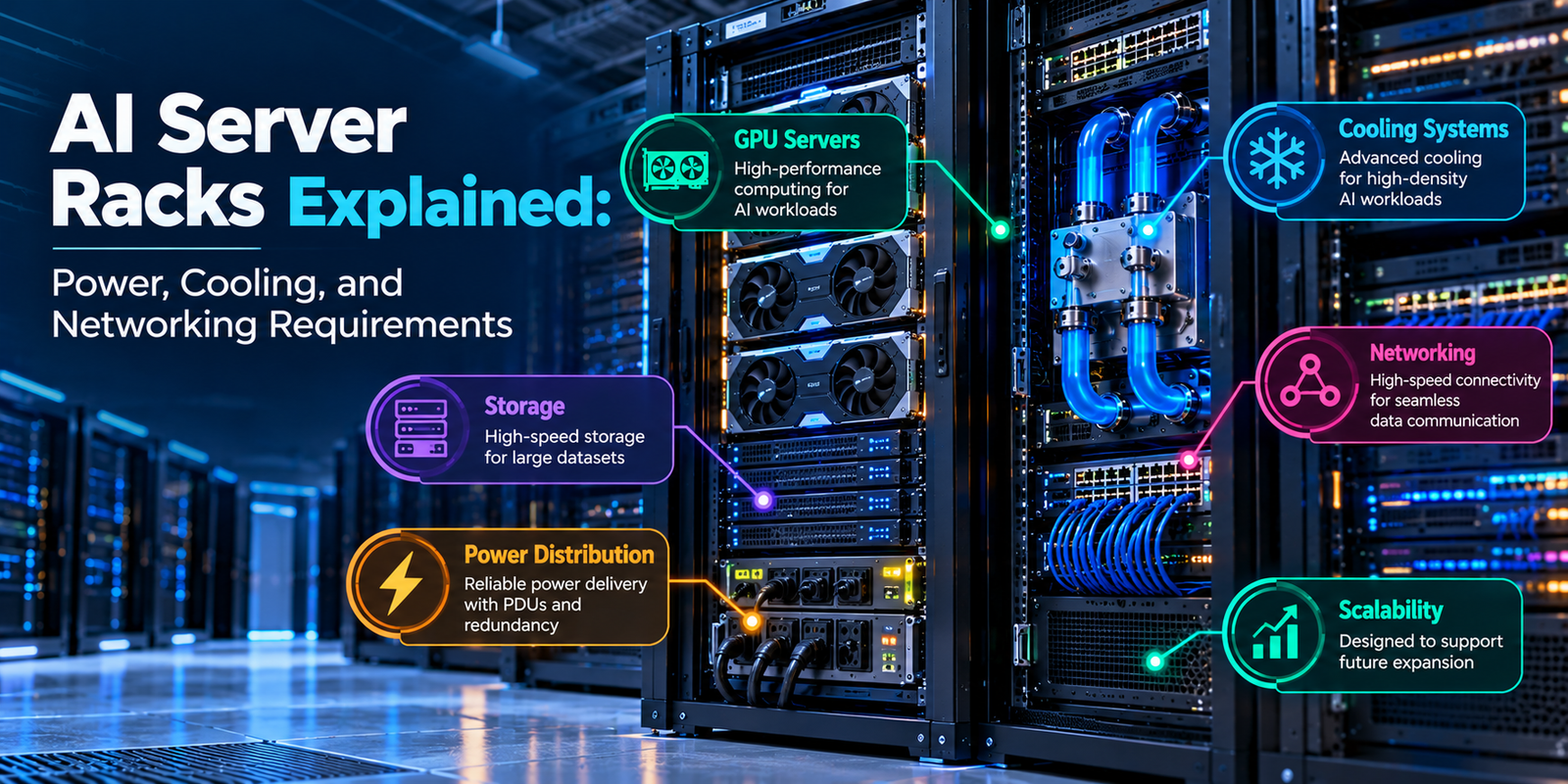
Artificial intelligence is driving demand for powerful computing infrastructure across industries. From training large language models to running generative AI applications, businesses need servers that can process enormous amounts of data efficiently. However, deploying these systems requires more than installing powerful processors. AI server racks must also provide reliable power, effective cooling, and high-speed networking.
Unlike conventional server racks, AI-focused configurations may contain multiple GPU servers that consume significant electricity and generate substantial heat. Therefore, organizations must carefully plan rack capacity, power distribution, cooling systems, and network connectivity before deploying their hardware.
In this guide, we explain how AI server racks work, which infrastructure components they require, and how businesses can plan reliable, scalable AI computing environments.
What Are AI Server Racks?
AI server racks are physical enclosures that house servers and supporting equipment used for artificial intelligence workloads. These racks can contain GPU servers, network switches, storage devices, power distribution units, and cooling components.
Their primary purpose is to organize computing hardware while providing the electrical power, airflow, and connectivity required for reliable operation.
For example, a business training machine learning models may install several GPU servers in a rack. Each server performs computational tasks, while the network connects the machines and allows them to exchange information.
A typical AI server rack may include:
- GPU servers: Provide the computing power required for AI training and inference.
- Power distribution units: Distribute electricity to connected equipment.
- Cooling infrastructure: Removes heat generated by servers and networking devices.
- Network switches: Connect servers and manage data communication.
- Storage systems: Store datasets, model files, and application data.
- Monitoring equipment: Tracks power consumption, temperature, and hardware performance.
Each component contributes to the overall performance of the infrastructure. Consequently, rack design should consider the interaction between computing, power, cooling, and networking rather than treating them as separate requirements.
1. Power Requirements for AI Server Racks
Power delivery is one of the most important considerations when planning AI server infrastructure.
High-performance GPUs and other server components can consume substantial electricity, particularly when several machines operate simultaneously. As a result, an AI rack requires sufficient electrical capacity to support its equipment under expected operating conditions.
Understanding Rack Power Density
Rack power density refers to the amount of electrical power consumed by the equipment installed in a server rack.
It is commonly expressed in kilowatts (kW).
For example, a rack containing multiple GPU servers may require significantly more power than a rack hosting conventional web servers. The actual requirement depends on the hardware configuration, number of devices, and workload.
Before selecting a rack, calculate the expected power consumption of all installed equipment.
Consider these components:
- GPUs and AI accelerators.
- CPUs and system memory.
- Storage devices.
- Network switches and adapters.
- Fans and other server components.
Additionally, account for future hardware expansion when planning electrical capacity.
What Is a Power Distribution Unit?
A power distribution unit (PDU) distributes electricity from the facility’s electrical supply to servers and other rack-mounted equipment.
Depending on the model, a PDU may provide power monitoring, remote management, outlet-level control, and alerts for abnormal conditions.
Selecting the right PDU helps administrators monitor electrical usage and manage connected devices more effectively.
When choosing a PDU, consider:
Power capacity: Ensure that the unit supports the expected electrical load.
Input and output connections: Verify compatibility with the facility’s electrical supply and server power cables.
Monitoring capabilities: Consider whether real-time power measurements would help with operational management.
Redundancy: Determine whether the infrastructure requires separate power paths for supported equipment.
These considerations help businesses choose power distribution equipment that matches their rack configuration.
Redundant Power Supplies
Many enterprise servers support multiple power supply units to improve availability.
For example, a server with two appropriately configured power supplies may continue operating if one supply fails, provided the remaining supply and electrical path can support the required load.
However, redundant server power supplies alone do not guarantee complete power protection.
Organizations should also evaluate upstream electrical distribution, backup power, and the availability of independent power paths.
A well-planned power architecture reduces the risk of equipment downtime and supports reliable AI operations.
2. Cooling Systems for High-Density AI Racks
AI servers generate heat as their processors perform intensive computations. Without effective cooling, excessive temperatures can reduce performance and affect hardware reliability.
For this reason, thermal management is a fundamental part of AI server rack design.
As rack power density increases, cooling requirements become more demanding. Therefore, organizations should evaluate the expected heat output before selecting their cooling infrastructure.
Air Cooling vs. Liquid Cooling
Air cooling and liquid cooling are two common approaches to managing server temperatures.
Air cooling uses fans and controlled airflow to remove heat from servers. It remains suitable for many conventional data center environments and certain AI deployments.
Liquid cooling transfers heat through a liquid-based system. Depending on the design, it can remove heat directly from processors or through heat exchangers.
For high-density GPU racks, liquid cooling may provide an effective solution when conventional airflow cannot manage the heat load efficiently.
However, the appropriate method depends on server specifications, rack density, facility infrastructure, and operating requirements.
Types of Cooling Systems
Direct-to-chip cooling: Cold plates transfer heat away from processors while coolant circulates through a dedicated system.
Rear-door heat exchangers: These devices remove heat from the air leaving a server rack.
Immersion cooling: Suitable equipment is immersed in a specialized dielectric fluid that absorbs heat.
Each approach has different installation and maintenance requirements. Consequently, businesses should evaluate compatibility with their servers before investing in cooling equipment.
Why Airflow Management Matters
Even when a facility uses air cooling, rack layout and airflow management remain important.
Servers generally draw in cooler air and release warmer air through designated airflow paths. Poorly managed airflow can allow hot exhaust air to mix with incoming cool air.
To improve cooling efficiency:
- Organize racks to support appropriate hot-aisle and cold-aisle layouts.
- Avoid blocking server air intakes and exhausts.
- Use suitable blanking panels to limit airflow bypass through unused rack spaces.
- Monitor inlet temperatures and equipment conditions.
- Review cooling performance as rack density increases.
These measures help maintain more predictable operating conditions and reduce unnecessary cooling demand.
3. Networking Requirements for AI Server Racks
Networking enables AI servers to exchange data and coordinate distributed computing tasks.
During large-scale AI training, multiple GPUs may work together on the same model. They must communicate efficiently to exchange intermediate results and synchronize computations.
If the network cannot keep up with the workload, servers may spend time waiting for data. Consequently, the cluster may not achieve its expected performance.
Essential Networking Equipment
AI server racks commonly include several networking components.
Network switches: Connect servers and manage traffic between devices.
Network interface cards: Provide network connectivity for individual servers.
High-speed cables: Support communication between network devices and servers.
Optical transceivers: Convert electrical and optical signals for compatible network connections.
The exact configuration depends on the number of servers, required bandwidth, communication patterns, and distance between connected devices.
Bandwidth and Latency
Two important networking characteristics are bandwidth and latency.
Bandwidth describes how much data a network connection can transfer over a given period.
Latency measures the delay involved in transmitting information between devices.
High bandwidth helps support workloads that exchange large volumes of data. Meanwhile, low latency can be important when GPUs communicate frequently during distributed training.
Technologies such as high-speed Ethernet and InfiniBand may be suitable for AI clusters, depending on the system architecture.
Therefore, networking equipment should be selected according to workload requirements rather than maximum advertised speeds alone.
Planning Rack Connectivity
A practical networking plan should address the following requirements:
- Number of servers and network ports.
- Required bandwidth between servers.
- Switch capacity and port availability.
- Cable types and connection distances.
- Network redundancy and fault recovery.
- Future expansion requirements.
Additionally, ensure that network adapters, switches, cables, and software support the intended configuration.
Good network planning helps avoid connectivity bottlenecks and makes future infrastructure expansion easier.
4. Choosing the Right Rack Size and Structure
The physical rack must support the weight, dimensions, power requirements, and cooling needs of the installed equipment.
Although standard 19-inch equipment racks are widely used in data centers, AI server configurations may require additional attention to rack depth, load capacity, and cable management.
Rack Height and Depth
Rack height is commonly measured in rack units (U). One rack unit equals 1.75 inches of vertical space.
For example, a 42U rack provides 42 rack units of vertical mounting space. However, usable space depends on the equipment layout and any reserved areas for cable management or supporting components.
Rack depth is also important because some GPU servers are deeper than conventional servers.
Before selecting a rack, check the dimensions of the equipment and confirm that sufficient clearance remains for cables, power connections, and airflow.
Weight Capacity and Structural Support
High-performance servers can be heavy, particularly when multiple GPU systems are installed in one enclosure.
Therefore, verify the rack’s rated load capacity and ensure that the floor can support the combined weight of the equipment.
Also, consider mounting hardware, cable weight, and any additional rack-mounted cooling components.
Cable Management
AI racks can contain numerous power cables, network connections, and management interfaces.
Poor cable organization can make maintenance difficult and interfere with airflow.
To improve cable management:
- Separate power and data cables where appropriate.
- Use suitable cable trays and routing accessories.
- Label connections for easier troubleshooting.
- Maintain access to equipment service points.
- Avoid placing cables across airflow paths.
A well-organized rack is easier to maintain and helps technicians identify connection problems more quickly.
5. Power and Cooling Calculations for AI Racks
Estimating power and cooling requirements helps organizations determine whether their facilities can support a planned hardware deployment.
These calculations should use actual equipment specifications rather than general assumptions.
Calculating Total Rack Power
To estimate rack power consumption, add the expected electrical consumption of all installed devices.
For example, consider a hypothetical rack with the following equipment:
| Component | Assumed Power Consumption |
|---|---|
| Four GPU servers | 24 kW combined |
| Network switches | 1 kW combined |
| Other rack equipment | 0.5 kW |
| Total estimated IT load | 25.5 kW |
These figures are illustrative only. Actual power consumption depends on the selected hardware and operating workload.
The estimated IT load helps determine the required power distribution and cooling capacity.
However, the electrical design must also consider equipment ratings, redundancy, startup conditions, and the facility’s power infrastructure.
Estimating Heat Output
Most electrical energy consumed by IT equipment ultimately becomes heat that must be removed from the facility.
For an initial estimate, the following conversion can be used:
1 kW of heat ≈ 3,412 BTU per hour.
Using the hypothetical 25.5 kW IT load:
25.5 × 3,412 ≈ 86,806 BTU per hour.
Therefore, the rack would generate approximately 86,806 BTU per hour of heat from its IT equipment under the assumed conditions.
The facility’s overall cooling requirement may be higher because cooling systems, lighting, and other equipment can contribute additional heat loads.
A qualified data center engineer should validate the final design before installation.
6. Rack Monitoring and Infrastructure Management
Monitoring helps administrators understand how AI server racks behave under real operating conditions.
Without suitable monitoring, power problems, rising temperatures, and network issues may remain unnoticed until they affect workloads.
For this reason, monitoring should be included in the initial infrastructure plan.
What Should You Monitor?
Power consumption: Track rack-level and, where supported, individual device power usage.
Temperature: Monitor server inlet temperatures and relevant cooling-system measurements.
GPU utilization: Identify whether processors are being used effectively.
Network performance: Track bandwidth, latency, packet loss, and connection errors where appropriate.
Hardware health: Monitor device alerts, fan speeds, and supported diagnostic information.
These measurements help teams detect unusual conditions and investigate performance problems.
Why Automated Alerts Matter
Automated alerts can notify administrators when monitored values exceed configured thresholds.
For example, an alert may indicate that a rack’s temperature is rising beyond its operating target. Similarly, a power alert may identify an unexpected increase in electrical consumption.
However, alerts should be configured carefully to avoid excessive notifications.
By combining monitoring dashboards with clear response procedures, organizations can improve operational visibility and troubleshoot issues more effectively.
7. Scalability and Redundancy in AI Infrastructure
AI workloads can grow as businesses train larger models, serve more users, or introduce additional applications.
Therefore, server rack infrastructure should accommodate future expansion without requiring unnecessary redesign.
Planning for Future Growth
Before deploying AI racks, consider how the infrastructure may expand.
For example, adding more GPU servers may require additional power capacity, network ports, cooling capacity, and rack space.
Likewise, expanding a cluster across multiple racks can introduce new networking and cable-management requirements.
A scalable design accounts for these dependencies before the equipment is installed.
Redundancy and Reliability
Redundancy helps reduce the impact of equipment failures.
Depending on the deployment, organizations may use redundant power paths, network links, switches, or cooling components.
However, redundancy should be designed around the actual failure risks and service requirements.
For example, two network connections may provide resilience only when their underlying paths are sufficiently independent.
Similarly, redundant cooling equipment must be supported by suitable electrical and control infrastructure to provide the intended protection.
A well-designed redundancy strategy helps improve availability without introducing unnecessary complexity.
8. Common Mistakes to Avoid When Planning AI Server Racks
Even powerful hardware can underperform when the supporting infrastructure is poorly designed.
Avoiding common mistakes can reduce operational risks and prevent expensive modifications later.
Underestimating power requirements: Calculate the expected load of all equipment before selecting electrical distribution components.
Ignoring cooling constraints: Confirm that the facility can remove the heat generated by the planned rack configuration.
Choosing unsuitable networking equipment: Match network capacity to the number of servers and the communication requirements of the workload.
Overlooking physical dimensions: Verify rack depth, weight capacity, cable clearance, and service access.
Neglecting monitoring: Establish power, temperature, and hardware monitoring before workloads enter production.
Failing to plan for expansion: Reserve appropriate capacity for future hardware and supporting infrastructure.
Ignoring compatibility: Confirm that servers, power distribution units, switches, and cooling systems meet the equipment manufacturer’s requirements.
By addressing these issues during planning, organizations can reduce deployment problems and create a more reliable operating environment.
9. Future Trends in AI Server Rack Infrastructure
AI infrastructure is evolving as organizations deploy more powerful processors and increasingly demanding computing workloads.
Several trends are influencing the design of modern AI server racks.
Higher Rack Power Density
New generations of AI accelerators can increase the power requirements of individual servers. Consequently, rack-level electrical distribution and facility capacity are becoming more important design considerations.
Greater Adoption of Liquid Cooling
As heat loads increase, liquid cooling is becoming an important option for high-density AI deployments.
However, adoption depends on hardware compatibility, facility design, maintenance requirements, and overall operating costs.
Faster Networking
Distributed AI workloads require efficient communication between processors and servers. As a result, high-bandwidth networking and suitable interconnect technologies remain central to cluster design.
Integrated Rack-Scale Systems
Some infrastructure solutions coordinate servers, networking, power delivery, and cooling as a complete system.
This approach can simplify deployment and improve compatibility between components, although the benefits depend on the specific design.
Improved Energy Efficiency
Organizations are increasingly evaluating infrastructure based on computing performance, energy consumption, and operating costs.
Therefore, future rack designs will need to balance processing capacity with efficient power delivery and thermal management.
These developments reinforce the importance of planning AI infrastructure as an integrated system rather than focusing only on server specifications.
Conclusion
AI server racks provide the physical foundation for modern AI computing infrastructure. They house GPU servers and supporting equipment while supplying the power, cooling, and networking needed for demanding workloads.
However, selecting a suitable rack requires more than checking its dimensions. Businesses must evaluate electrical capacity, thermal performance, network connectivity, physical load limits, monitoring, and future expansion.
A carefully planned infrastructure helps reduce bottlenecks and supports reliable operation as AI workloads grow.
Ultimately, the best AI server rack configuration balances computing performance, power efficiency, cooling capability, and scalability.
For organizations investing in AI infrastructure, understanding these requirements is an important step toward building a reliable and cost-effective computing environment.
