
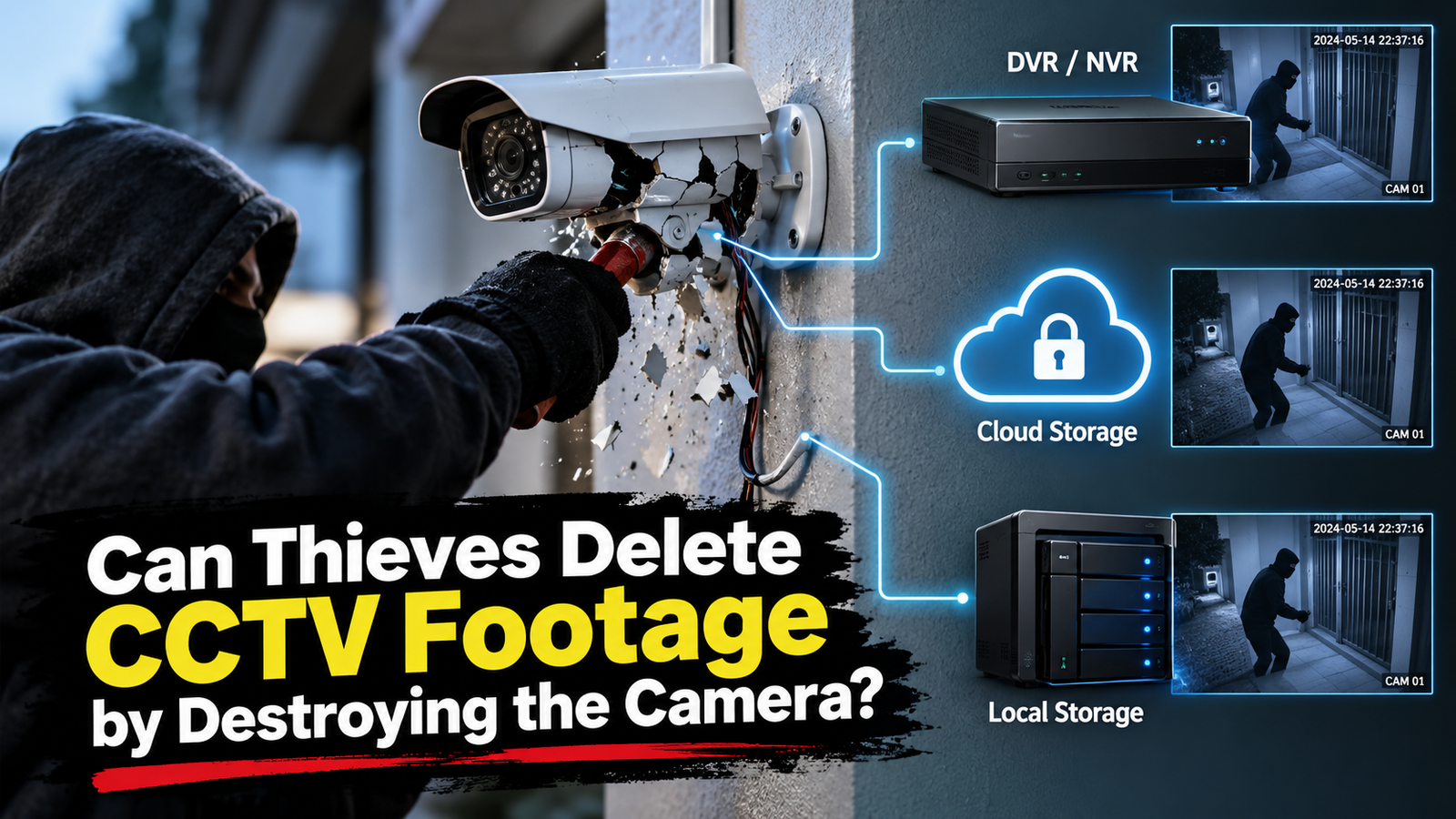
Security cameras are one of the most common tools used to protect homes, offices, shops, warehouses, and other properties. But what happens when thieves notice a camera and destroy it during a break-in?
A common concern is whether breaking a CCTV camera also deletes the footage it has already recorded.
In most CCTV systems, destroying the camera does not automatically delete previously recorded footage. The result depends on where the footage is stored and how the security system is configured.
Understanding CCTV storage can help businesses and homeowners protect important video evidence.
How CCTV Cameras Store Recorded Footage
A security camera does not always store video inside the camera itself. Modern CCTV systems can use several different storage methods.
Common options include:
- Digital Video Recorders (DVRs)
- Network Video Recorders (NVRs)
- MicroSD cards
- Network-attached storage (NAS)
- Cloud storage
- Remote backup servers
The storage method matters when a camera is damaged or removed.
For example, a traditional analog camera may send video to a DVR. If someone destroys the camera, recordings already stored on the DVR may remain available.
Similarly, an IP camera may send footage to an NVR or cloud platform. In that case, damaging the camera does not necessarily remove recordings that were already saved elsewhere.
Does Destroying a CCTV Camera Delete the Footage?
Usually, no.
If the CCTV footage has already been saved to a separate storage device, breaking the camera will not normally erase those recordings.
For example, imagine a shop has four security cameras connected to an NVR. A thief damages one camera during a break-in.
The damaged camera may stop recording from that moment onward. However, footage recorded before the damage can still remain on the NVR.
The situation is different when a camera stores footage only on its internal memory or microSD card. If that storage is physically damaged or removed, recovering the footage may become more difficult.
This is why the architecture of a CCTV system is important.
Where Can CCTV Footage Be Stored?
1. DVR Storage
A DVR is commonly used with analog CCTV cameras.
The cameras send video signals to the DVR. The DVR then processes and stores the recordings on an internal hard drive.
If a camera is damaged, footage that was already stored on the DVR can usually remain intact.
However, if the DVR itself is stolen or damaged, access to the recordings can become more difficult.
2. NVR Storage
An NVR is commonly used with IP cameras.
IP cameras send video over a network to the NVR. The NVR stores the recordings on one or more hard drives.
This setup can provide an important advantage during a physical attack on a camera.
If a thief destroys one IP camera, recordings that were already stored on the NVR may still be available.
3. MicroSD Card Storage
Some security cameras have built-in microSD card slots.
These cameras can record video directly to the card without relying entirely on a separate recorder.
This can be useful for simple installations. However, the storage is physically located near the camera.
If the camera and its storage card are stolen or severely damaged, recovering the footage can be more challenging.
4. Cloud Storage
Cloud-connected cameras can upload recordings to remote servers.
This means the footage may exist outside the physical location where the camera is installed.
If a thief destroys the camera after footage has already been uploaded, the recordings may still be accessible through the cloud service.
Cloud storage can therefore provide an additional layer of protection against physical damage.
5. Remote or Off-Site Storage
Businesses with higher security requirements can use remote storage or backup systems.
In this setup, CCTV footage can be copied from the local recording system to another location.
This reduces the risk of losing all video evidence if someone steals or damages the recording equipment at the property.
What Happens When a Thief Cuts the Camera Cable?
A thief may try to disconnect a camera instead of destroying it.
Once the connection is interrupted, the camera may stop sending new footage to the recorder.
However, the footage captured before the connection was lost may already be stored.
Some systems can also detect when a camera goes offline and generate an alert.
This feature is commonly known as camera tampering or video loss detection.
What Happens If the Power Is Cut?
Power loss can stop a CCTV camera and recording equipment from operating.
However, previously saved footage is generally not erased simply because the power is disconnected.
The bigger concern is what happens after the power is cut.
A CCTV system without backup power may stop recording during an outage. This creates a gap in surveillance coverage.
Using an uninterruptible power supply (UPS) can help keep cameras, network equipment, DVRs, and NVRs operating for a limited period during a power failure.
Can Thieves Delete CCTV Footage From the Recorder?
Destroying a camera is different from accessing the recording system.
If a thief gains access to the DVR, NVR, computer, or storage system, they may potentially attempt to delete or damage recordings.
This is why physical security is important.
Recording equipment should not be placed in an easily accessible location. Businesses can also consider additional access controls, remote backups, and restricted administrator access.
The goal is to make it difficult for an intruder to compromise both the cameras and the recorded evidence.
Can CCTV Footage Be Recovered From a Damaged System?
Sometimes, yes.
The possibility of recovery depends on the type and condition of the storage device.
If the hard drive inside a DVR or NVR is still functional, recordings may remain accessible even if the cameras themselves have been damaged.
If the storage device has been physically damaged, professional data recovery may sometimes be possible.
However, recovery is never guaranteed.
If CCTV footage may be important evidence after a break-in, it is better to preserve the original storage device and avoid unnecessary attempts to modify or overwrite it.
How to Protect CCTV Footage From Theft
A strong CCTV system should protect both the cameras and the recordings.
Use Multiple Cameras
Multiple cameras can provide overlapping coverage.
If one camera is damaged, another camera may still capture activity around the same area.
Keep the Recorder Secure
Do not place the DVR or NVR somewhere that an intruder can easily find and remove.
A locked and restricted location can provide additional physical protection.
Consider Cloud or Remote Backup
Remote storage can help preserve footage even if local equipment is damaged or stolen.
It creates another copy outside the immediate physical location.
Use Backup Power
A UPS can help keep the surveillance system running during short power interruptions.
This can reduce recording gaps caused by accidental or deliberate power loss.
Enable Tamper Alerts
Modern security systems can detect events such as camera disconnection, video loss, or unusual activity.
Alerts can help security teams respond more quickly.
Protect Network Access
IP cameras and network recorders should use strong passwords and appropriate access controls.
Network security is just as important as physical security for modern CCTV systems.
Why CCTV System Design Matters
A CCTV system is more than a collection of cameras.
The complete system can include:
Camera → Network → Recorder → Storage → Backup → Monitoring
Every part can affect the availability of recorded evidence.
If the camera and storage are located in the same physically accessible place, an attacker may have an easier opportunity to compromise both.
Separating recording and backup infrastructure can therefore improve resilience.
What Is the Best CCTV Setup for Security?
There is no single setup that works for every property.
A small home may use cameras with microSD and cloud storage. A retail store may use several IP cameras connected to an NVR. A large business may require NVRs, redundant storage, remote backups, UPS systems, and centralized monitoring.
The most important principle is not relying on a single copy of important footage.
A combination of local recording and remote backup can provide stronger protection against physical damage, theft, and equipment failure.
Final Thoughts
Can thieves delete CCTV footage by destroying the camera? Usually, they cannot delete footage that has already been stored somewhere else.
The outcome depends on the CCTV system’s storage architecture.
If footage is stored on a DVR, NVR, cloud platform, or remote server, destroying the camera does not necessarily remove previously recorded video.
However, systems that rely entirely on storage inside the camera can be more vulnerable to physical theft or damage.
For this reason, effective CCTV security should protect not only the cameras but also the recording equipment, storage devices, network infrastructure, and backup copies.
A well-designed surveillance system can continue to preserve valuable evidence even when an intruder attempts to disable the cameras.
Frequently Asked Questions
Can destroying a CCTV camera delete old footage?
No. If the footage has already been stored on a separate DVR, NVR, cloud service, or remote storage system, destroying the camera normally does not delete those recordings.
Can CCTV record after the camera is damaged?
A damaged camera may stop recording. However, other cameras in the system can continue recording if they remain operational.
Is CCTV footage stored inside the camera?
Sometimes. Some cameras use microSD cards or internal storage. Other systems send footage to DVRs, NVRs, NAS devices, or cloud storage.
Can CCTV footage be recovered after a break-in?
In some cases, yes. Recovery depends on where the footage was stored and the condition of the storage device.
How can businesses protect CCTV recordings?
Businesses can use secure DVR/NVR locations, cloud or remote backups, UPS systems, tamper alerts, strong access controls, and multiple cameras with overlapping coverage.
Is cloud CCTV safer from physical theft?
Cloud storage can reduce the risk of losing recordings because the footage may be stored away from the physical camera location. However, cloud accounts still require strong security and appropriate access controls.
