
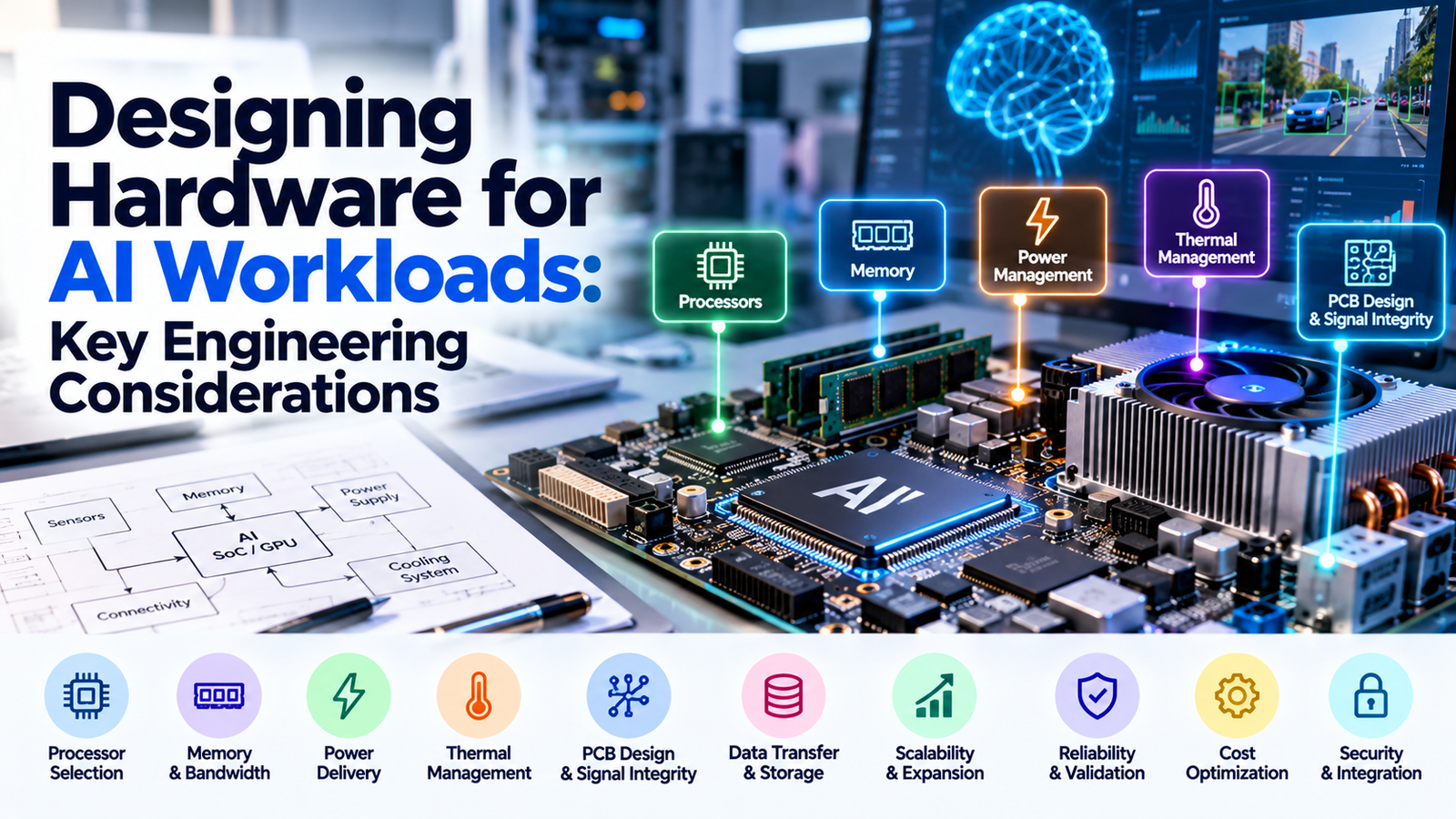
Artificial intelligence is changing how modern hardware systems are designed. From AI servers and edge devices to industrial automation systems, AI workloads require hardware that can process large amounts of data efficiently and reliably.
However, designing hardware for AI involves more than selecting a powerful processor. Engineers must consider memory capacity, data transfer speeds, power consumption, thermal management, PCB design, and system reliability.
A hardware design that performs well in a laboratory may still face challenges under continuous workloads or in demanding operating environments. Therefore, engineers must balance performance, efficiency, cost, and scalability from the beginning.
In this blog, we explore the key engineering considerations for designing hardware for AI workloads, along with practical ways to build reliable and efficient AI hardware systems.
What Is AI Hardware Design?
AI hardware design involves selecting and integrating electronic components that support artificial intelligence tasks.
These tasks include training machine learning models, running AI inference, processing images, analyzing sensor data, and generating predictions.
Depending on the application, an AI hardware system may include:
- CPUs: Manage general computing tasks and system operations.
- GPUs: Accelerate parallel computations used in many AI workloads.
- Neural Processing Units (NPUs): Accelerate supported neural network operations.
- Memory: Stores model parameters, input data, and intermediate results.
- Storage: Holds datasets, models, applications, and operating systems.
- Power management components: Deliver stable power to the system.
- Cooling components: Help control heat generated during operation.
- Communication interfaces: Transfer data between components and connected systems.
The right combination depends on the workload, performance requirements, available power, and target operating environment.
For example, an AI server used for model training may require powerful accelerators and high-bandwidth memory. In contrast, a battery-powered AI device may prioritize low power consumption and compact size.
Therefore, successful AI hardware design starts with understanding the workload before selecting the components.
1. Choosing the Right AI Processor
Processor selection is one of the most important decisions in AI hardware design. Different workloads require different levels of computing performance and power efficiency.
A processor that works well for image classification may not be suitable for large-scale AI model training.
Common AI processor options
Central Processing Units (CPUs) handle general computing tasks, system control, and application logic. They are useful for coordinating workloads and running certain AI applications.
Graphics Processing Units (GPUs) perform many calculations in parallel. They are widely used for AI training, image processing, and demanding inference workloads.
Neural Processing Units (NPUs) are designed to accelerate supported neural network operations. They can provide efficient AI processing in embedded systems and edge devices.
Field-Programmable Gate Arrays (FPGAs) allow engineers to configure hardware logic for specialized tasks. They can be useful when an application requires specific processing or timing characteristics.
How to select the right processor
Before choosing a processor, evaluate these factors:
- Required computing performance.
- Supported AI frameworks and model formats.
- Memory capacity and bandwidth.
- Power consumption.
- Thermal requirements.
- Hardware and software compatibility.
- Total system cost.
Additionally, consider whether the workload involves model training, inference, or both. Training generally involves different computational demands from inference, so the hardware requirements may vary significantly.
2. Memory Capacity and Bandwidth
AI workloads often process large datasets and model parameters. As a result, memory can become a major performance limitation.
Even a powerful processor may remain underutilized if it cannot access data quickly enough.
Memory capacity determines how much data a system can hold during processing. Meanwhile, memory bandwidth determines how quickly data can move between memory and the processor.
Both factors are important when designing AI hardware.
Key memory considerations
- Choose sufficient memory capacity for the target workload.
- Evaluate bandwidth requirements for the selected processor.
- Check compatibility with the processor’s memory interface.
- Consider memory latency and data movement.
- Account for intermediate data generated during AI processing.
- Evaluate expansion options where required.
For example, an AI system processing high-resolution images may need substantial memory to store input data and intermediate results.
The goal is to balance processing power with memory performance. Increasing processor performance alone may not improve results if memory bandwidth remains a bottleneck.
3. Power Consumption and Power Delivery
AI processors and accelerators can consume substantial electrical power, particularly during intensive workloads.
Consequently, engineers must design a power delivery system that meets the requirements of every component.
The power supply, voltage regulators, PCB power planes, connectors, and cables must work together to deliver stable power.
Common power design challenges
- High current demand.
- Voltage fluctuations during workload changes.
- Power conversion losses.
- Connector and cable limitations.
- Electrical noise.
- Uneven power distribution.
These problems can affect performance, increase heat generation, and reduce system reliability.
How to improve power delivery
Engineers should select appropriately rated power supplies and voltage regulators. They should also verify that the PCB can safely distribute the required current.
In addition, power consumption should be measured under realistic operating conditions rather than estimated only from component specifications.
Useful practices include:
- Calculating expected power demand.
- Selecting suitable voltage regulators.
- Designing appropriate power and ground planes.
- Using decoupling capacitors as required.
- Evaluating voltage drops and current limits.
- Testing power stability under changing workloads.
A reliable power delivery design helps AI hardware operate consistently under demanding conditions.
4. Thermal Management and Cooling
Heat is another major challenge when designing hardware for AI workloads.
Processors, GPUs, memory, and power conversion components generate heat during operation. If the system cannot remove this heat effectively, component temperatures may exceed their specified limits.
As a result, processors may reduce their operating speed through thermal throttling. Prolonged exposure to excessive temperatures can also affect component reliability.
Important thermal design considerations
- Processor and accelerator power consumption.
- Heat generated by memory and power components.
- Heatsink design and thermal interface materials.
- Airflow through the system.
- Ambient operating temperature.
- Component placement on the PCB.
- Cooling requirements during sustained workloads.
Best practices for thermal management
First, identify the components that generate the most heat. Next, design suitable thermal paths to transfer heat away from those components.
For high-performance systems, engineers may need larger heatsinks, optimized airflow, or liquid cooling. However, the appropriate solution depends on power density, physical space, operating conditions, and cost.
Thermal simulation can help identify potential problems before manufacturing. Physical testing should then verify performance under representative workloads.
Thermal management should be part of the initial hardware design, not an adjustment made after the system overheats.
5. PCB Design and Signal Integrity
Printed circuit board (PCB) design plays an important role in AI hardware performance. The PCB must connect processors, memory, power circuits, and communication interfaces while maintaining reliable electrical operation.
High-speed interfaces can make PCB design more challenging. Poor routing, unsuitable stackups, and inadequate power delivery can cause signal integrity problems.
What should engineers consider?
Component placement: Place processors, memory, and supporting components according to electrical, thermal, and mechanical requirements.
PCB stackup: Choose suitable board layers and materials for the required signal speeds and power distribution.
Signal integrity: Control impedance and routing where required to maintain reliable high-speed communication.
Power integrity: Ensure that components receive stable power under expected operating conditions.
Electromagnetic interference (EMI): Evaluate noise sources and reduce unwanted interference through appropriate layout and grounding practices.
Thermal design: Provide suitable copper areas and thermal paths to help remove heat from critical components.
How to improve PCB design
Use the component manufacturer’s layout guidelines during development. In addition, run design rule checks and review high-speed interfaces before manufacturing.
Simulation tools can help engineers evaluate signal integrity and power integrity. However, physical testing remains important for confirming the final design.
A well-designed PCB helps support reliable communication between components and reduces the risk of expensive redesigns.
6. Data Transfer and Storage Performance
AI systems depend on moving data between processors, memory, storage devices, and connected systems.
If data transfer becomes too slow, the processor may spend time waiting for information instead of performing useful computations.
This problem can affect AI training, inference, image processing, and other data-intensive applications.
Key considerations
- Storage read and write speeds.
- Memory bandwidth.
- Processor-to-accelerator communication.
- Network bandwidth and latency.
- Data transfer between multiple accelerators.
- Dataset size and access patterns.
How to reduce data bottlenecks
Choose storage and communication interfaces that match the expected workload. For example, an AI server processing large datasets may benefit from high-performance storage and suitable networking.
Additionally, engineers should measure actual data transfer requirements instead of relying only on theoretical interface speeds.
Efficient data movement helps the system use its available processing capacity more effectively.
7. Hardware Scalability and Expansion
AI workloads can grow as models become larger and applications become more demanding. Therefore, hardware should be designed with realistic future requirements in mind.
Some systems may need additional memory, storage, accelerators, or network capacity.
However, expansion is not always straightforward. Adding accelerators can increase power consumption, cooling requirements, and communication overhead.
How to design for scalability
- Estimate future computing requirements.
- Select platforms with suitable expansion options.
- Provide sufficient power capacity.
- Plan for additional cooling requirements.
- Evaluate communication between accelerators.
- Consider physical space and maintenance access.
For example, an AI server designed for a single accelerator may require significant changes to support multiple accelerators.
Planning ahead can reduce the need for expensive infrastructure upgrades.
8. Hardware Reliability and Validation
AI hardware may operate for long periods under demanding conditions. Therefore, reliability testing is essential before deployment.
A system that performs well during a short demonstration may still experience problems during continuous operation.
Validation helps identify electrical, thermal, mechanical, and integration issues before they affect production workloads.
Essential hardware validation tests
| Test | Purpose |
|---|---|
| Functional testing | Confirms that the system performs its intended tasks. |
| Power testing | Checks power consumption and electrical stability. |
| Thermal testing | Measures temperatures during normal and intensive workloads. |
| Performance testing | Evaluates processing speed and throughput. |
| Stress testing | Checks stability under sustained workloads. |
| Compatibility testing | Verifies that hardware components work together correctly. |
| Environmental testing | Evaluates operation under specified environmental conditions. |
Testing should reflect the product’s intended operating environment.
Furthermore, engineers should record test results, investigate failures, and repeat relevant tests after significant design changes.
9. Cost Optimization Without Sacrificing Quality
AI hardware can become expensive because of processors, memory, cooling systems, PCB complexity, and power infrastructure.
However, reducing costs should not compromise reliability or required performance.
The objective is to find the right balance between technical requirements and the available budget.
Practical cost reduction strategies
- Select components based on actual workload requirements.
- Avoid unnecessary processing capacity.
- Optimize PCB layout and manufacturing complexity.
- Evaluate suitable alternative components.
- Use prototypes to identify problems early.
- Automate repetitive testing where practical.
- Design for manufacturing and assembly.
- Validate critical components before full production.
For example, an edge AI device may not need the same processing capacity as a data center AI server. Choosing hardware that matches the workload can reduce component costs and power requirements.
Likewise, early validation can prevent expensive redesigns during manufacturing.
The best cost optimization strategy is to avoid unnecessary complexity while preserving the performance and reliability the application requires.
10. Security and System Integration
AI hardware often works with operating systems, firmware, communication networks, and external applications.
Consequently, engineers must consider security and integration alongside processor and PCB design.
Security problems can expose sensitive data or allow unauthorized access to connected devices.
Important security considerations
- Secure boot, where supported.
- Protected firmware updates.
- Secure storage of sensitive information.
- Authentication for connected devices.
- Appropriate communication encryption.
- Access controls for debugging interfaces.
- Compatibility between hardware and software components.
In addition, hardware and firmware should be tested together.
For example, a secure boot feature must work correctly with the processor, firmware, and device configuration. Testing only the individual components may not reveal every integration problem.
A complete system-level approach helps improve reliability and security.
Best Practices for Designing Hardware for AI Workloads
Before finalizing an AI hardware design, engineers should review the entire system.
Use this checklist:
- Define the AI workload and performance targets.
- Select processors that match the application.
- Evaluate memory capacity and bandwidth.
- Calculate power consumption and delivery requirements.
- Plan thermal management from the beginning.
- Validate PCB signal and power integrity.
- Check data transfer and storage performance.
- Design for realistic future expansion.
- Perform functional, thermal, and stress testing.
- Review security and hardware-software integration.
- Track development costs and manufacturing requirements.
These steps help engineering teams identify design risks early and develop hardware that meets its intended requirements.
Conclusion
Designing hardware for AI workloads requires more than selecting a powerful processor. Engineers must balance computing performance, memory bandwidth, power delivery, thermal management, PCB design, and system reliability.
Each component affects the overall system. For example, a fast processor may deliver limited benefits if memory bandwidth is insufficient or the cooling system cannot handle sustained workloads.
Therefore, successful AI hardware design begins with a clear understanding of the application and continues through careful component selection, system integration, and validation.
The key to reliable AI hardware is balancing performance, power efficiency, scalability, and cost from the beginning.
At Hashing Hardware, understanding these engineering considerations can help teams make better hardware design decisions and develop reliable solutions for demanding AI applications.
